
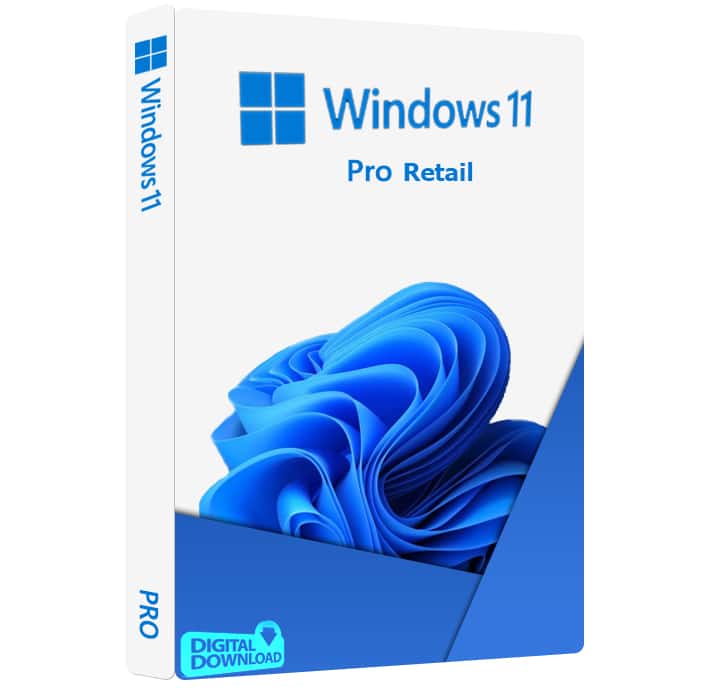
Microsoft Windows 11 Pro Retail Key
Original price was: $129.99.$27.99Current price is: $27.99.
Buy a Windows 11 Pro retail key with instant email delivery. Get your activation key, setup instructions, and customer support from KBKeys. Digital delivery with replacement or refund support.
1 in stock
Windows 11 Pro Retail Key
Get a Windows 11 Pro retail key with digital delivery from KBKeys. Your product key and activation instructions are delivered electronically after purchase.
Windows 11 Pro is designed for users who need more advanced security, remote access, and business networking features than the Home edition. Microsoft lists features such as BitLocker Drive Encryption, Remote Desktop, and the ability to join a domain or Microsoft Entra ID among the Pro capabilities.
This Windows 11 Pro retail key is delivered digitally, with activation instructions provided after purchase.
What You Receive
- Windows 11 Pro product key
- Digital delivery
- Activation instructions
- Customer support
- Refund or replacement support according to the KBKeys policy
Windows 11 Pro Key Details
| Detail | Information |
|---|---|
| Product | Windows 11 Pro |
| License | Retail* |
| Delivery | Digital |
| Activation | Online* |
| Region | Worldwide* |
| Support | KBKeys customer support |
Windows 11 Pro Features
Windows 11 Pro includes features intended for professional, security-conscious, and business users.
BitLocker Drive Encryption can help protect data on supported devices. Microsoft also documents Remote Desktop support on Windows Pro editions, allowing a Pro PC to act as the remote computer. Windows Pro can also be connected to a domain or Microsoft Entra ID for organizational use.
Can You Upgrade Windows 11 Home to Pro?
Yes. Microsoft documents an upgrade path from Windows 11 Home to Windows 11 Pro using a Pro product key. The device must be running an activated copy of Windows 11 Home, and Microsoft provides the upgrade process through Settings → System → Activation → Change product key.
How to Activate Windows 11 Pro
After receiving your key:
- Make sure your Windows edition matches the license you purchased.
- Make sure Windows is up to date.
- Open Settings → System → Activation.
- Select Change product key.
- Enter your 25-character Windows 11 Pro product key.
- Follow the activation instructions shown by Windows.
The Windows edition installed on your PC must match the license you purchased.
Windows 11 System Requirements
Before purchasing, make sure your PC meets Microsoft’s Windows 11 requirements. The minimum requirements include:
- 1 GHz or faster compatible processor with 2 or more cores
- 4 GB RAM
- 64 GB or larger storage
- UEFI firmware with Secure Boot capability
- TPM 2.0
Microsoft states that TPM 2.0 is required for Windows 11.
Windows 11 Home vs Pro
Windows 11 Pro includes additional features for professional and business use. Compared with Windows 11 Home, Pro includes features such as BitLocker, Remote Desktop hosting, and support for connecting to a domain or Microsoft Entra ID.Looking for another Windows edition? See our Windows 11 Home and Windows 10 Pro options.
| Feature | Windows 11 Home | Windows 11 Pro |
|---|---|---|
| BitLocker | No | Yes |
| Remote Desktop host | No | Yes |
| Domain / Microsoft Entra ID | No | Yes |
| Group Policy | No | Yes |
Digital Delivery
our Windows 11 Pro retail key is delivered instantly by email after your purchase is completed. Activation instructions are included with your order.
Need Help With Activation?
Check that you are installing or upgrading to the correct Windows edition before entering the key. Microsoft provides an official activation and troubleshooting process for Windows activation issues.
Frequently Asked Questions
What is a Windows 11 Pro key?
A Windows 11 Pro key is a product key used to activate the Windows 11 Pro edition, subject to the applicable license terms.
Can I upgrade Windows 11 Home to Pro?
Microsoft supports upgrading an activated Windows 11 Home installation to Windows 11 Pro with a Pro product key
How is my Windows 11 Pro key delivered?
Your Windows 11 Pro key is delivered instantly by email after your purchase is completed. Activation instructions are included with your order.
How do I activate Windows 11 Pro?
Open Settings → System → Activation → Change product key and enter the 25-character Pro key.
What happens if I have an activation problem?
First check that the installed Windows edition matches your license. You can then use Microsoft’s activation troubleshooting guidance or contact KBKeys support.
Does my PC need to meet Windows 11 requirements?
Yes. Windows 11 has minimum hardware requirements, including 4 GB RAM, 64 GB storage, Secure Boot capability and TPM 2.0.
What is your refund or replacement policy?
If you experience an issue with your Windows 11 Pro key, please contact KBKeys Support through our live chat. We will first provide a replacement key. If the replacement key also does not work for the purchased product edition, we will initiate a full refund according to our Refund & Exchange Policy. For purchases made for the wrong product version or edition, an exchange may be available, but refunds are not provided.
Elisha White (verified owner) –
As advertised, key given instantly.
Catalin Pavel (verified owner) –
I wasn’t sure if to buy it from here, but i received the key immediately and it worked!
Charles Cook (verified owner) –
Works perfectly!
Thomas Robb (verified owner) –
Initially has an error, customer support solved the issue within a minute. Great service!
Justin Garcia (verified owner) –
At first the key did not work and contacted them through the live chat in the corner and they were able to fix the issue and gave me a new windows key. Great help!
BOO (verified owner) –
Got the key within seconds of purchasing both in the website and in my email. The initial key did not work, but I was able to get another working key within 10 minutes of contacting customer support.
Very smooth process, and now I have a retail key for less than 30 bucks. Windows wants you to pay $140, btw.
Aline Dalpe (verified owner) –
Initially the key I received did not worked. Immediatly chat with support that provide me with another key whick was fonctional and my Windows 11 was sucessfully activated. Thanks.
Everett Komrosky (verified owner) –
Got windows activated was a quick email
zach lyle (verified owner) –
First key didn’t work fully, messaged support and they sent me a new key right away. Great service, Thank you.
Chandler Schwarz (verified owner) –
i used the live chat here on the website to ask when i should expect to get my key and they sent it to me immediately through there no issue !
Scot Mahe (verified owner) –
first key didn’t work, was issued replacement. replacement works. A+ customer service!
Kyle Pederson –
Accidentally bought the wrong key and had it exchanged for the right one. Their customer service had me taken care of in no time. Thank you!
Joseph Carseldine (verified owner) –
I had an issue where it didn’t activate so I reached out for support and sent a photo of it not working and they sent me a replacement key immediately. The issue was resolved within 5 minutes. I would recommend to all people thanks KBKeys 😁