
Blog
Windows OEM vs Retail License: What’s the Difference?
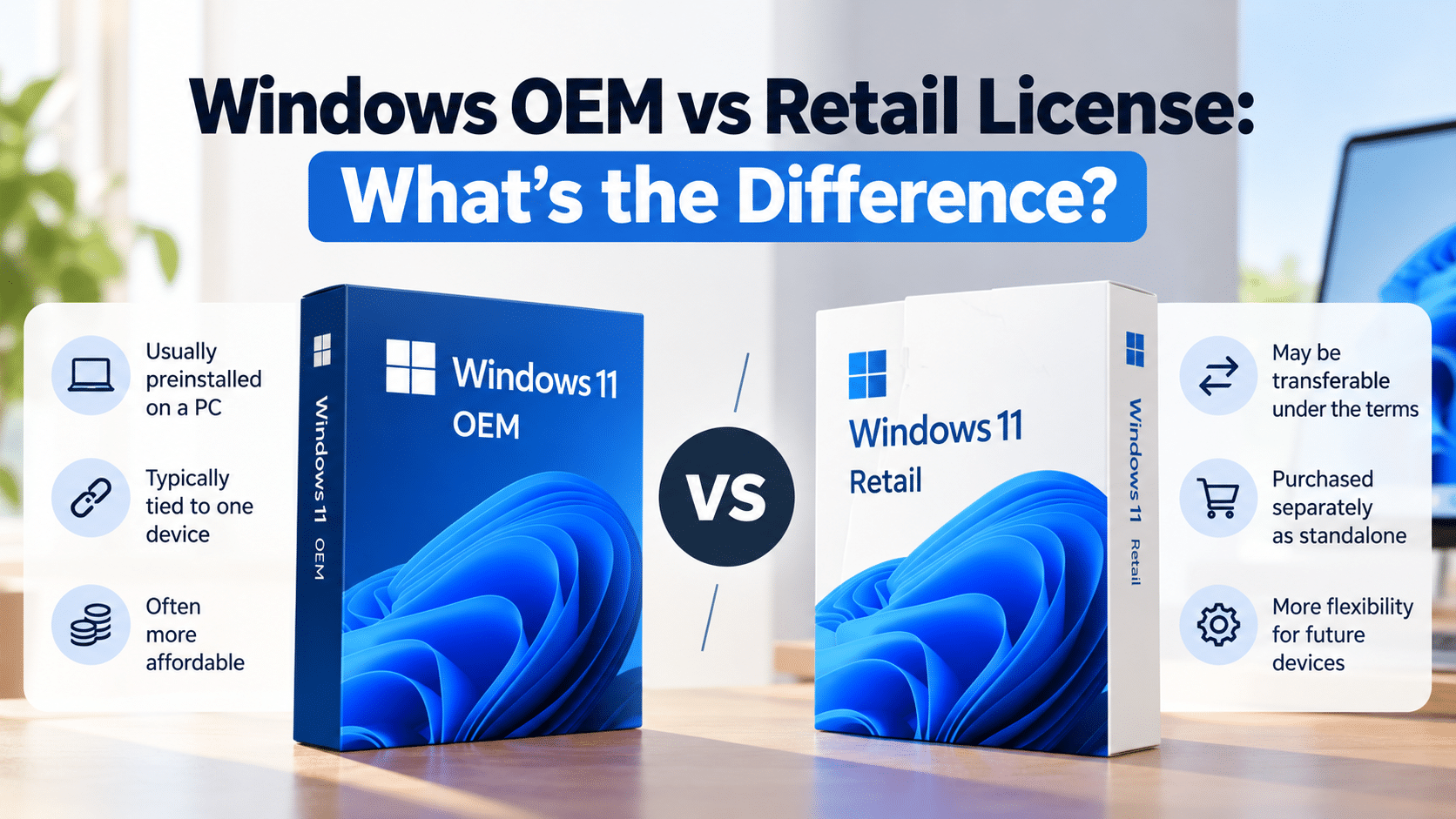
Windows OEM vs Retail license is an important distinction to understand before buying Windows. The license type can affect how the software is supplied, which device it is associated with, and whether it can be transferred to another computer. Before purchasing, check the applicable license terms rather than relying on the product label alone.
Choosing between a Windows OEM license and a Retail license can be confusing, especially when different sellers use these terms to describe their products. The differences can affect how Windows is supplied, which device it is intended for, and whether the license can be transferred later.
Before buying a Windows license, it helps to understand what OEM and Retail generally mean, what the applicable license terms say, and what to check in a product listing.
In this guide, we’ll explain the main differences between Windows OEM and Retail licenses, compare their typical uses, and help you identify the questions to ask before purchasing.
What Is a Windows OEM License?
OEM stands for Original Equipment Manufacturer. In the Windows market, the term commonly refers to Windows software supplied with a computer by its manufacturer or installed by a system builder.
For example, a new laptop may arrive with Windows already installed and activated. The Windows license supplied with that computer may be an OEM license.
OEM licensing is generally associated with the device for which the software was supplied. Microsoft’s license terms for preinstalled Windows describe the rights and restrictions that apply to that software.
However, the exact conditions depend on the applicable license agreement and how the software was obtained. The label “OEM” alone does not explain every usage right.
You can review Microsoft’s Windows 11 OEM license terms for more information.
What Is a Windows Retail License?
A Retail license generally refers to Windows software acquired separately from a computer, such as a standalone product purchased from a retailer.
Depending on the applicable terms, standalone Windows software may have different transfer rights from software preinstalled on a computer.
For example, Microsoft’s US Retail license terms allow the software to be transferred to another device owned by the licensed user, subject to the agreement’s conditions. The software must be removed from the previous device, and a license cannot be shared between multiple devices.
This does not mean every product advertised as a “Retail key” automatically has those rights. You should establish which license the seller is actually supplying and review the terms that apply to it.
Read Microsoft’s Windows 11 Retail license terms before relying on a particular transfer claim.
Windows OEM vs Retail License: Main Differences
The following table summarizes the typical differences. The applicable agreement and the way the product was obtained determine the actual rights.
| Feature | OEM License | Retail License |
|---|---|---|
| Typical source | Windows supplied with a computer or through a system builder | Windows purchased separately as standalone software |
| Initial use | Usually associated with the device for which it was supplied | Installed on an eligible device under the license terms |
| Transfer to another PC | Generally restricted for the standalone license; usually tied to its original device | May be permitted under the applicable standalone software terms |
| Moving to a replacement PC | Often requires a new license if the original OEM license cannot be reassigned | May be permitted if all applicable transfer conditions are met |
| Price | Can be included in a computer’s price or offered through other OEM arrangements | Depends on the retailer, product, and purchase terms |
| Support | Often begins with the device manufacturer or installer | Depends on the license source and support arrangements |
| What to verify | Intended device, applicable license agreement, and supply channel | Whether the product is truly standalone Retail software and what transfer rights apply |
These are general comparisons, not a guarantee about a particular product listing. OEM System Builder arrangements, business licensing, regional terms, and other software agreements can differ.
Which Windows License Is Better?
Neither license type is automatically better for every buyer. The right option depends on how you obtain Windows, whether you expect to replace your computer, and which license rights you need.
When an OEM license may make sense
An OEM license may be appropriate when Windows is supplied with a new computer and you intend to use that Windows installation on the device covered by the license.
It can be a suitable arrangement for someone purchasing a complete computer with Windows already installed. In that situation, review the computer’s documentation and confirm which license is included.
Remember that a license tied to a device generally cannot be treated like a standalone Retail license that may be moved freely between computers.
When a Retail license may make sense
A standalone Retail license may be more appropriate for someone who wants to purchase Windows separately and values the transfer rights stated in the applicable agreement.
For example, you may plan to replace a computer later and want to understand whether you can move your Windows license to an eligible replacement device.
Before relying on that possibility, confirm that the software is actually supplied under the applicable Retail license terms. A seller’s use of the word “Retail” in a product title is not, by itself, proof of those rights.
Can You Transfer a Windows OEM License to Another PC?
In general, a Windows OEM license supplied with a computer is intended to remain with that licensed device. It ordinarily cannot be separated from that computer and reassigned to another PC.
If you replace the computer, you should check the original license terms before assuming the previous license can be reused.
Transferring the entire computer to another owner is different from transferring the Windows license by itself. Microsoft’s OEM guidance explains the conditions that may apply when a licensed computer is passed to another user.
Read the Microsoft OEM license guidance and the applicable license agreement for your product.
There may also be exceptions or different rules depending on the particular licensing arrangement and applicable law. Do not rely on a universal transfer rule without checking your circumstances.
Can You Transfer a Windows Retail License to Another PC?
A standalone Retail Windows license may permit transfer to another device, subject to the applicable license terms.
Under Microsoft’s US Windows 11 Retail terms, the software can be transferred to another device owned by the licensed user. The software must be removed from the previous device, and it cannot be shared between devices.
Before moving a license, check the following:
- Confirm that the license was acquired as standalone software under the relevant terms.
- Check the transfer conditions in that agreement.
- Remove the software from the previous device when required.
- Follow Microsoft’s activation and troubleshooting instructions if activation does not complete on the replacement device.
A digital license and a product key describe different parts of the activation process. The fact that you have a product key or digital license does not, on its own, establish every transfer right.
For activation information, see Microsoft’s Windows activation guide.
Why Are OEM Windows Licenses Sometimes Cheaper?
OEM software may be supplied as part of a computer purchase or under a particular system-builder arrangement. The commercial terms and usage rights may differ from those of a standalone Retail product.
However, price alone does not tell you whether a license is valid for your intended use.
A low-priced product may have different conditions from a standalone Retail license. In other cases, the listing might not explain the license source or the rights included at all.
Before buying an inexpensive Windows key, check the license details and the seller’s terms instead of assuming that a lower price means an identical product.
If you are comparing affordable Windows offers, read our guide to cheap Windows 11 Pro keys and what to check before buying.
How to Check an OEM or Retail Windows License Before Buying
Use this checklist to make a more informed decision.
1. Identify the license being supplied
Ask whether the product is Windows supplied with a computer, standalone Retail software, an OEM System Builder product, or another licensing arrangement.
The product title alone may not provide enough information.
2. Read the applicable license terms
Review the relevant agreement, especially the installation, use, and transfer provisions. Make sure those terms match how you intend to use the software.
3. Verify the seller and product details
Look for clear product descriptions, a stated business identity, support information, and accessible purchase policies.
Do not assume that a seller is authorized by Microsoft solely because it uses Microsoft branding or claims to sell genuine products. Any such claim should be supported by verifiable information.
4. Check the Windows edition
Confirm whether you need Windows 11 Home or Windows 11 Pro. A license for one edition should not be assumed to activate another edition.
Our guide to Windows 11 Home vs Pro explains the main feature differences.
5. Understand activation and support
Find out what activation assistance is available and how the seller handles reported problems. Read the refund and replacement conditions before you buy.
Successful activation alone does not establish all the usage rights associated with a license. Consider the license terms and the source of the software as well.
Frequently Asked Questions
Is OEM the same as Retail Windows?
No. OEM and Retail generally refer to different licensing and distribution arrangements. Their rights and restrictions can differ, so check the agreement that applies to the software you are purchasing.
Is a Retail Windows license transferable?
A standalone Retail Windows license may be transferred under the conditions in its license agreement. Microsoft’s US Windows 11 Retail terms permit certain transfers to another device, provided the stated conditions are met and the license is not shared between devices.
Can I move an OEM Windows license to a new PC?
Generally, an OEM license supplied with a computer is tied to that device. It should not be assumed that the license can be moved separately to another PC.
Is an OEM license always cheaper?
Not necessarily. Pricing depends on the product, supply arrangement, retailer, and applicable terms. Compare the actual offer rather than assuming that every OEM product has the same price.
Does a product key prove that a Windows license is genuine?
No. A product key is used in activation, but successful activation alone does not establish every licensing right. Review the applicable terms and product source.
Should I buy an OEM or Retail Windows 11 Pro license?
The right choice depends on your intended use and the rights you need. An OEM license may suit a computer supplied with Windows, while a standalone Retail license may be useful for someone who values the transfer rights provided under its agreement. Confirm the terms before buying.
Where can I find the official license terms?
Start with Microsoft’s Windows 11 OEM license terms and Windows 11 Retail license terms.
Final Recommendation
When comparing Windows OEM vs Retail licenses, focus on the rights and conditions of the actual license rather than the label alone.
An OEM license supplied with a computer is generally associated with that device. A standalone Retail license may offer different transfer rights under its applicable agreement. Neither label should be treated as a universal guarantee without reviewing the terms.
Before purchasing, confirm the Windows edition, the license source, the usage and transfer conditions, and the seller’s support and refund policies.
If you are comparing Windows 11 products, you can browse the KBKeys Windows 11 category and review the Windows 11 Pro product page. Read the product details and applicable terms carefully before making a decision.
For more guidance, see our articles on Windows 11 Home vs Pro, upgrading Windows 11 Home to Pro, and what to check before buying a cheap Windows 11 Pro key.
Related Posts
Windows Product Key vs Digital License: What’s the Difference?
-
Posted by
[email protected]
How to Fix Windows 11 Activation Errors: Common Codes and Solutions
-
Posted by
Cheap Windows 11 Pro Keys: What to Check Before You Buy
-
Posted by